BUY — Lovable is a strong buy for rapid web product development when teams pair its speed with clear requirements, Git version control, testing, and security review.
Lovable combines conversational app generation, visual editing, backend services, Supabase integration, Git sync, hosting, domains, collaboration, and security tools. It dramatically shortens early development, while credit economics and generated-code quality still require active management.
Best forFounders, product managers, designers, marketers, agencies, operators, and developers creating MVPs, internal tools, dashboards, portals, and web products.
Think twice ifYou need to begin from a large existing repository, require highly specialized infrastructure, or cannot provide engineering and security review for a critical application.
Table of Contents
How the tool fits real work
Describe the product
Explain the users, pages, workflow, data, and visual direction or provide screenshots and documents as context.
Refine the build
Use follow-up prompts, planning, visual edits, backend tools, integrations, testing, and Git review to improve the application.
Secure and publish
Review permissions and findings, connect a domain, then publish a controlled snapshot and update it deliberately.
How this review was prepared: StackSelectLab evaluated Lovable through its official product pages, documentation, pricing tables, publishing guides, Git integration documentation, backend options, and security materials. We did not commission a controlled multi-project coding benchmark, so statements about speed, code quality, and production readiness are separated from documented platform features. Build a representative pilot and review the generated application before committing sensitive data, customer traffic, or a large annual credit allocation.
Lovable review: the short answer
Lovable is an AI app builder that turns plain-language requests, screenshots, and documents into working websites and web applications. You describe what you want, watch the system generate the interface and code, refine the result through follow-up prompts or visual edits, connect a backend, and publish the project to a live URL. The product is designed to reduce the distance between an idea and a testable application without requiring every user to begin inside a traditional coding environment.
Its strongest use case is rapid product creation: landing pages, internal tools, dashboards, client portals, marketplaces, lightweight SaaS products, and prototypes that need to feel more real than a static mockup. Lovable can host the published app, provide a built-in backend through Lovable Cloud, connect to a Supabase project, sync code to Git, and support custom domains on paid plans. That makes it more complete than a design-only generator, but it does not remove the need for product judgment, testing, security review, database planning, or developer involvement on complex systems.
Our verdict: Lovable earns 4.7 out of 5. It is a compelling buy for founders, marketers, product teams, agencies, and small businesses that need to validate and ship web ideas quickly. The main limitations are variable credit consumption, the need to review generated architecture and security, and the risk of treating a convincing prototype as a finished production system before it has been tested properly.
Who Lovable is best for
- Non-technical founders who need a working MVP, waitlist, dashboard, marketplace concept, or customer portal before hiring a full engineering team.
- Product managers and designers who want stakeholders to interact with a real prototype rather than review static screens.
- Marketing and operations teams building campaign pages, calculators, internal workflows, lead tools, or reporting interfaces.
- Agencies and freelancers that need to create client concepts quickly and retain the option to hand code to developers.
- Developers who want AI to accelerate initial scaffolding, UI creation, repetitive changes, and deployment while keeping a Git-based workflow.
Lovable is less suitable when the project begins with a large legacy repository, requires unusual infrastructure, depends on deeply customized native mobile behavior, or carries high legal and operational risk without an experienced engineering and security review. A healthcare, financial, identity, or safety-critical application should not move from prompt to public launch solely because the interface looks complete.
What Lovable actually builds
Lovable generates real web application code rather than a static screenshot. The official materials position the standard stack around React, TypeScript, Tailwind CSS, and common component libraries, with backend options for authentication, database records, storage, server-side logic, payments, and external integrations. The exact libraries and architecture vary by project, template, prompt, and product updates.
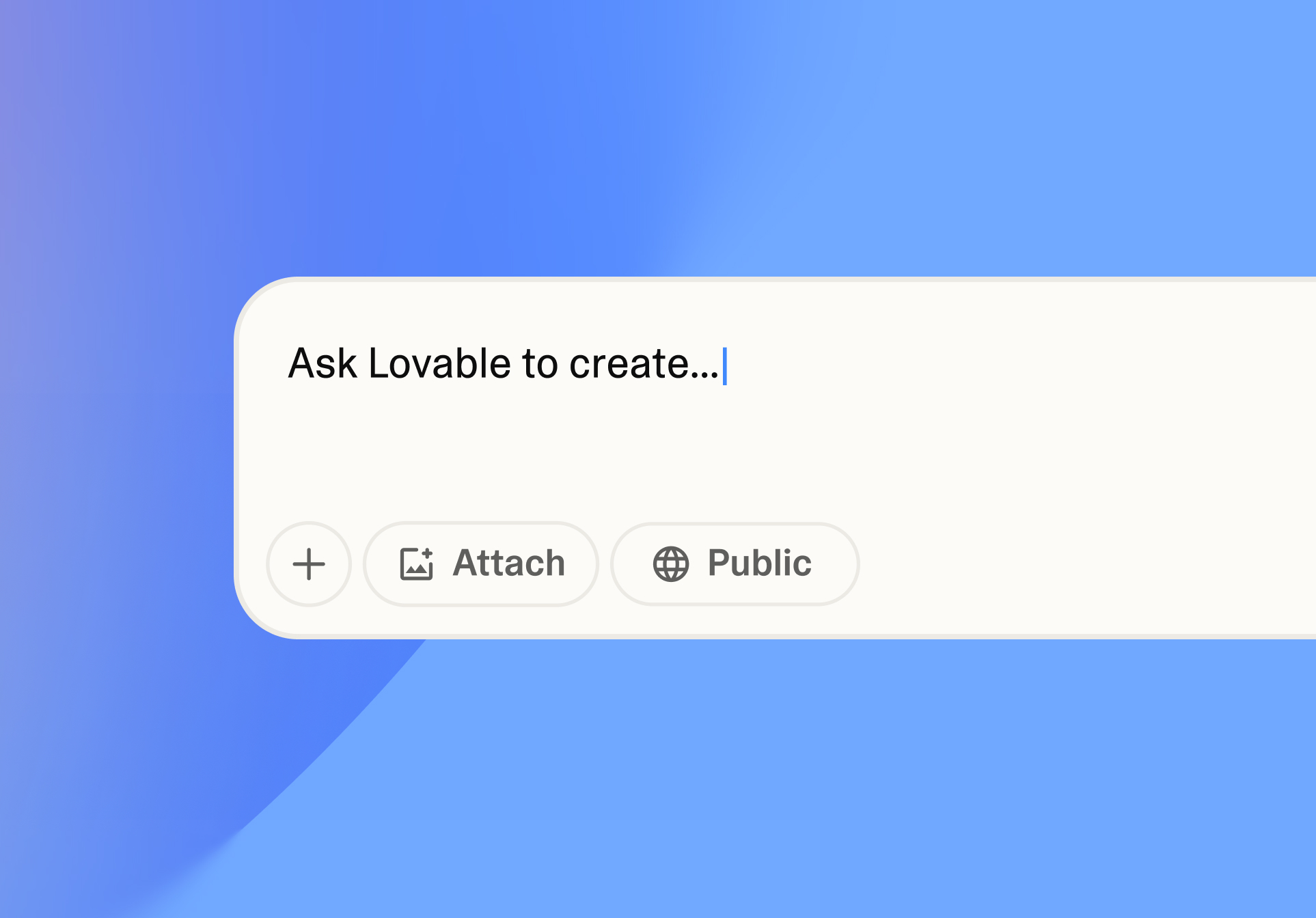
You can start from a sentence, a detailed specification, an uploaded screenshot, or supporting documents. Lovable then creates an initial application and exposes a live preview. From there, the workflow becomes conversational: add authentication, change the navigation, create an admin area, connect a database, repair an error, adjust the layout, or publish a new version. Users who know code can inspect and edit files, while teams can sync projects to Git for backup and collaboration.
The Lovable workflow, step by step
1. Describe the outcome, users, and core flow
A strong first prompt explains who the application is for, what the user should accomplish, which pages are required, and what visual direction the product should follow. “Build a CRM” is possible, but “Build a mobile-responsive CRM for a five-person property management team with a lead pipeline, tenant profiles, task reminders, and a calm blue interface” gives the agent clearer boundaries.
Lovable can also use screenshots and documents as context. These inputs are valuable for layout direction and requirements, but they should not be treated as permission to copy protected branding, proprietary code, or another product's distinctive design. Use references to communicate structure and quality, then create an original implementation.
2. Review the first build as a prototype
The first version is best viewed as a structured draft. Check navigation, responsive behavior, empty states, form validation, loading behavior, error messages, and whether the central user journey is actually complete. Attractive colors and polished cards can hide missing data rules or broken edge cases. Review the product from the perspective of a new visitor rather than only checking the hero section.
3. Refine through chat, Plan mode, and visual edits
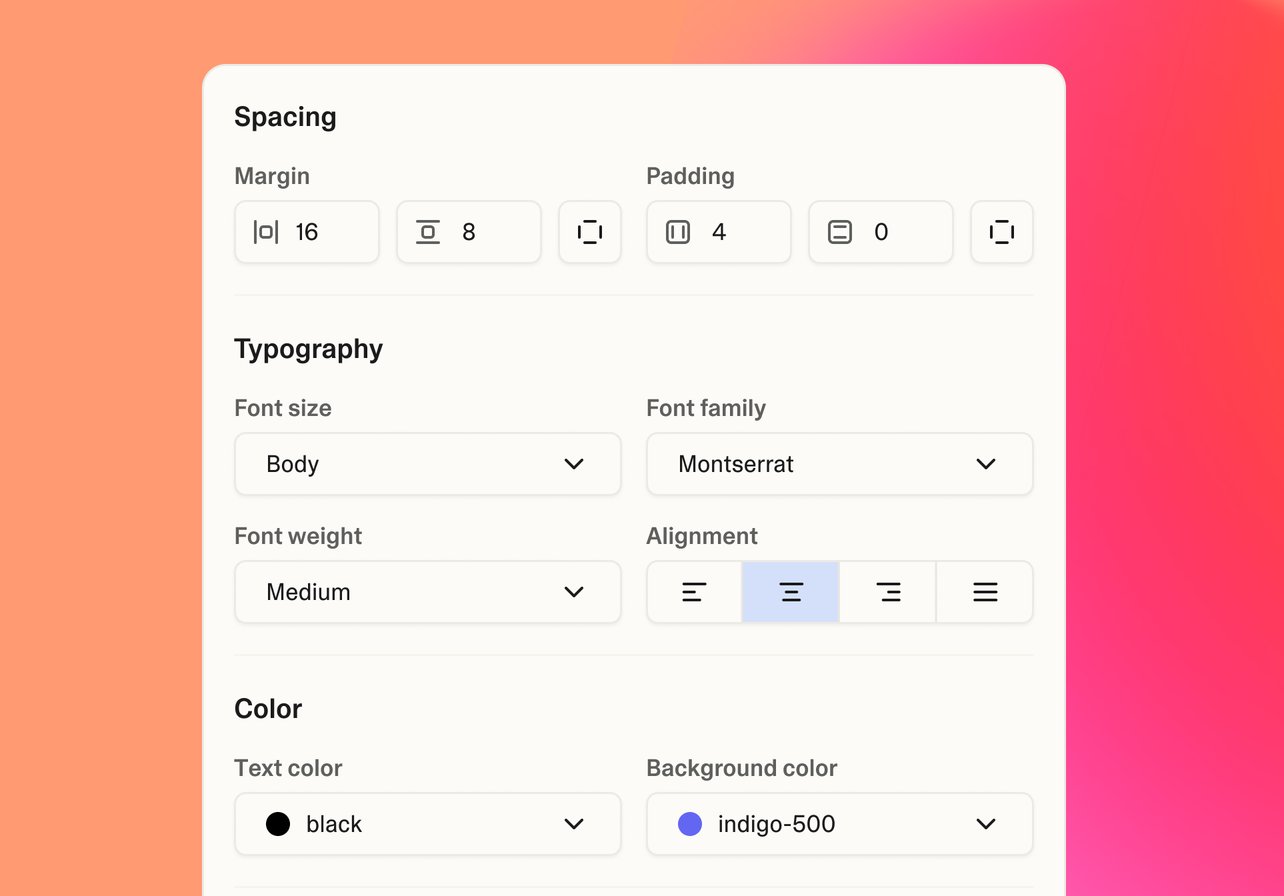
Follow-up prompts can add features or revise logic. For larger changes, planning before implementation helps prevent the agent from changing unrelated parts of the project. Visual editing is useful for text, spacing, colors, typography, alignment, and other direct interface changes. It can be faster and more predictable than spending credits on a long prompt for a small cosmetic adjustment.
4. Add data, authentication, and server-side behavior
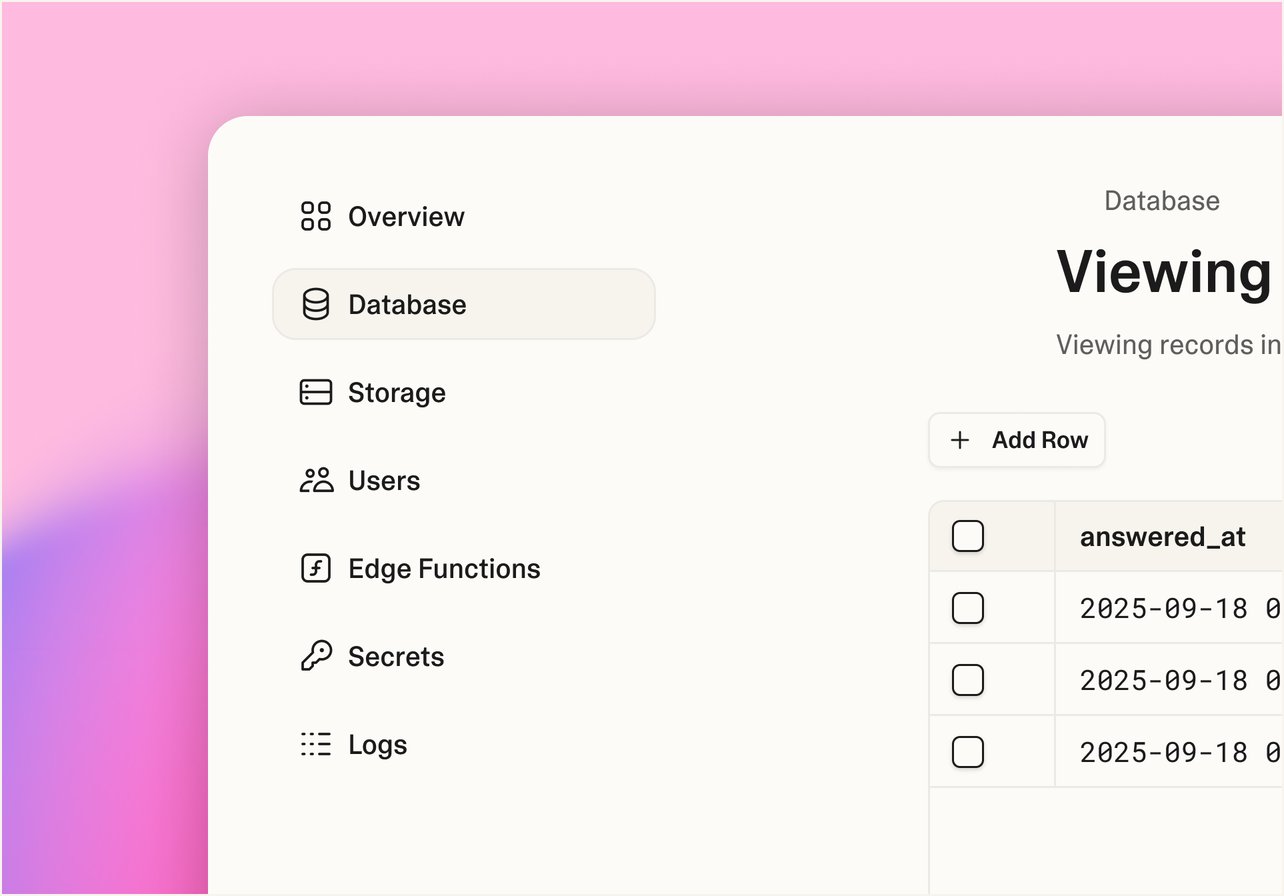
Projects that need accounts, saved records, uploads, subscriptions, emails, or private API keys require backend work. Lovable offers a managed backend through Lovable Cloud and an integration with Supabase. The built-in option is the fastest route for many new projects because infrastructure is managed inside the workspace. Connecting your own Supabase project gives you direct ownership of that Supabase account and its dashboard.
The two backend routes should be chosen deliberately. Lovable's documentation states that switching between the built-in backend and an external Supabase project is not an automatic one-click migration. Teams that already have infrastructure standards, compliance requirements, or an existing Supabase environment should decide early where data and authentication will live.
5. Test, secure, and connect version control
Before publishing, test the main flow with realistic data and different account roles. Check mobile screens, validation, permissions, database policies, payment states, and failure scenarios. Lovable includes security tools for row-level security, database configuration, application code, and dependencies. These tools are useful, but the platform explicitly notes that automated scanning cannot guarantee complete security.
Connecting the project to Git provides an external code copy and a standard collaboration path. Lovable's documentation describes two-way synchronization for supported Git workflows, allowing developers to review changes, use branches and pull requests, and deploy elsewhere. Repository history is also a practical safety net when the project becomes larger than a short prototype.
6. Publish a snapshot and update deliberately
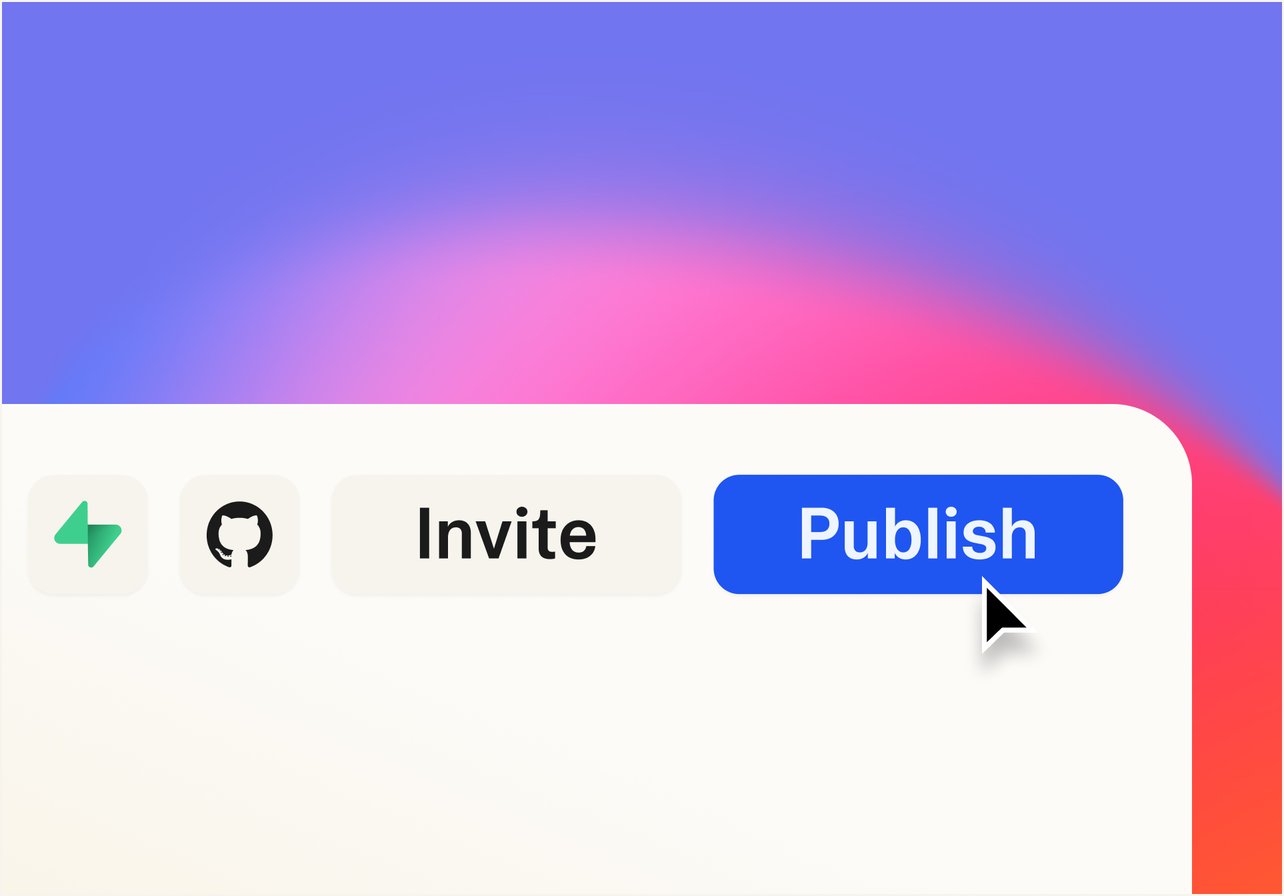
Publishing deploys the current project version to a shareable URL with HTTPS included. Future editor changes do not automatically replace the live version; you publish changes again when you are ready. This snapshot model lets teams continue working without immediately breaking the public app. Paid plans add custom domains, and higher plans add more access and governance controls.
Key features that matter in real use
Conversational full-stack generation
The central advantage is that one conversation can cover interface design, routing, forms, database structure, authentication, integrations, and deployment. This reduces tool switching and makes software creation accessible to people who can describe a workflow clearly but cannot build the full stack manually. The quality of the result still depends heavily on prompt clarity and the user's ability to identify missing requirements.
Visual edits for fast interface refinement
Visual edits are valuable because many changes are easier to point at than describe. Selecting an element and adjusting text, colors, spacing, or typography reduces ambiguity. This also lets designers and marketers improve a page without asking the agent to regenerate a larger component. For reusable design standards, teams should define consistent tokens and project knowledge rather than correcting every screen independently.
Backend choices and integrations
Lovable Cloud reduces setup work for database-backed projects, while Supabase supports teams that want a separate account and direct infrastructure control. Server-side functions can protect secrets and call services that should not run in the browser. The wider integration ecosystem supports payments, email, analytics, automation, content, and business tools, although every external service may introduce its own pricing, limits, permissions, and failure modes.
Git sync and code ownership
Lovable states that customers own the projects and code they create, subject to third-party rights in underlying AI models and inputs. Git synchronization lowers platform lock-in by allowing the project to be backed up and continued in a conventional development workflow. This is one of Lovable's most important advantages over tools that only produce hosted pages or proprietary visual configurations.

Templates and design guidance
Templates provide working starting points for stores, blogs, dashboards, portfolios, trackers, and SaaS interfaces. They are useful for learning the system and reducing blank-page friction, but a template should be adapted to the real business model, data, content, and brand. Design guidance can also propose visual directions before the full build, helping users compare typography, color, spacing, and layout choices.
Hosting, domains, and deployment flexibility
All plans can publish to a Lovable-hosted address, while paid plans support custom domains. HTTPS is included, and published projects are delivered globally. Teams can also sync code and deploy through other Git-compatible hosting workflows when they need different infrastructure. Hosting the frontend is only one part of cost planning: backend activity, AI features inside the app, database usage, and third-party services may generate separate usage.
How good is the generated output?
Lovable can produce a surprisingly complete first version, especially for common web patterns such as dashboards, landing pages, directories, forms, account areas, and content-driven interfaces. Its public templates demonstrate polished layouts and real interactive flows. However, visual credibility is not the same as engineering completeness. Generated software may include duplicated logic, inconsistent components, weak data constraints, incomplete permissions, unnecessary dependencies, or behavior that only works on the happy path.
A fair evaluation should use a representative project, not a one-page demo. Include authentication, at least two user roles, a database relationship, an upload or external integration, mobile layouts, and one failure state. Track the number of prompts, credits consumed, manual fixes, security findings, and hours required before a developer or client accepts the result. That test reveals whether Lovable is genuinely saving time for your use case.
Lovable pricing and credit economics
Lovable currently offers Free, Pro, Business, and Enterprise plans. Free costs $0 and provides limited daily build credits, Lovable-hosted project addresses, private workspace projects, collaboration, and community support. The current plan documentation lists five daily build credits with a 30-credit monthly cap for Free, plus separate monthly Cloud and in-app AI grants.
Pro starts at $25 per month for 100 monthly subscription credits, or $250 per year at the published annual rate. It adds credit rollover, top-ups, unlimited Lovable-hosted addresses, custom domains, user roles and permissions, per-member credit limits, removal of Lovable branding, and email support. Business starts at $50 per month for 100 monthly credits, or $500 per year, and adds department-oriented controls such as role-based access, internal publishing, SSO, a security center, design templates, and priority support. Enterprise uses volume-based pricing and adds advanced governance, audit logs, SCIM, deeper security controls, design systems, and dedicated support.
The important detail is that credits are not a simple fixed number of completed pages. In Default mode, usage varies with task complexity; Lovable's pricing page currently shows examples ranging from a fraction of a credit for a small style change to more than one credit for authentication or a multi-section page with generated images. Plan mode may use a different per-message model. Review message-level costs, use visual edits for simple changes, and avoid repeatedly asking the agent to rebuild large areas without a plan.
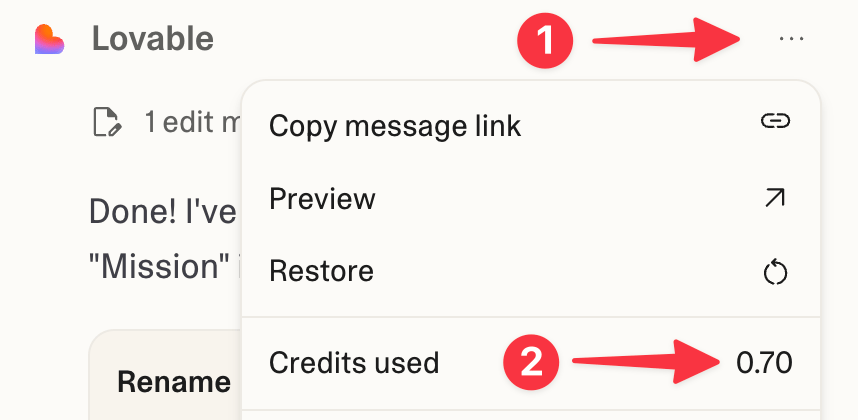
Which Lovable plan should you choose?
Choose Free for learning and small experiments
Free is suitable for testing the editor, understanding the prompt workflow, remixing templates, and creating a small proof of concept. The monthly build cap is restrictive for sustained iteration, and custom domains are not included. Use it to decide whether Lovable's approach fits your thinking style before paying.
Choose Pro for serious solo or small-team building
Pro is the best starting point for most commercial users. It adds a meaningful monthly credit balance, custom domains, paid-plan code controls, roles, branding removal, and support. The 100-credit entry tier is enough to learn real usage patterns, but a complicated product or repeated broad redesigns can consume it quickly.
Choose Business for governance, not merely more building
Business is most valuable when a department needs SSO, stronger access control, internal publishing, central security visibility, design templates, and priority support. Because the starting credit count matches the entry Pro tier, the price difference should be justified by governance requirements rather than the assumption that it automatically provides twice as much AI building.
Choose Enterprise for controlled organization-wide adoption
Enterprise targets organizations that need directory synchronization, audit logs, publishing restrictions, scheduled deep scans, sensitive-data controls, private registries, specialized Git environments, service commitments, and dedicated onboarding. Pricing and implementation depend on the contract.
Security, privacy, and production readiness
Lovable provides automated checks for database policies, schema risks, application code, secrets, and vulnerable dependencies. Publishing can trigger security review, and teams can inspect findings inside the project or workspace. The company also advertises enterprise security certifications and controls, including SOC 2 Type II and ISO 27001.
These safeguards are helpful but should not be misunderstood. Security scanners identify known patterns; they do not prove that business logic is correct, that authorization covers every route, or that an application complies with every industry rule. Use server-side secrets, apply least-privilege access, configure row-level security, test each account role, review dependencies, and arrange professional assessment when the application processes sensitive or high-value data.
Privacy also depends on what you place into prompts, connected tools, databases, and uploaded documents. Do not paste production credentials into frontend code or provide confidential material without confirming workspace controls, contracts, data-handling terms, and organizational policy.
Code ownership and the risk of lock-in
Lovable's published pricing information states that users own their projects, code, customer data stored in Lovable, and AI output, subject to third-party rights. Git sync provides a practical exit route because the repository can remain in your account even if the Lovable connection is later removed. A developer can continue the codebase in a conventional IDE and deploy through another compatible platform.
Lock-in can still exist at the service and architecture level. An application may depend on Lovable Cloud, a specific database configuration, managed domains, or platform-specific integrations. Ownership of source code does not automatically migrate hosted data, secrets, authentication users, scheduled jobs, or third-party configuration. Document the architecture and export strategy before the project becomes business-critical.
Lovable's biggest strengths
- Fast path from idea to interactive product: useful for validation, stakeholder reviews, and early customer testing.
- Full-stack scope: interface, backend, authentication, data, integrations, and publishing can live in one workflow.
- Accessible refinement: prompts and visual edits let non-developers make meaningful changes.
- Code portability: Git sync and standard web technologies make developer handoff more practical.
- Integrated deployment: live URLs, HTTPS, custom domains, and republishing are built into the product.
- Growing governance and security tooling: useful as adoption expands from individuals to teams.
Lovable's limitations and risks
- Credits can be difficult to forecast: complex tasks and broad revisions consume more than small edits.
- Generated code still requires review: polished output may conceal weak architecture or incomplete edge cases.
- Backend choice matters early: moving between Lovable Cloud and a separate Supabase project is not a one-click migration.
- Not every system fits prompt-first development: legacy repositories, specialized infrastructure, and unusual performance demands may require a traditional workflow.
- Security is shared responsibility: automated scans do not replace testing, threat modeling, and professional review.
- Third-party costs remain: payments, email, automation, AI models, databases, and external APIs can add bills outside the Lovable subscription.
Best alternatives to Lovable
Choose another AI app builder when you prefer a different agent workflow, runtime, or pricing model. Choose an AI interface generator when your main goal is high-fidelity UI that an engineering team will implement separately. Choose an AI coding editor when you already have a repository and want assistance inside a developer-controlled environment. Choose a conventional no-code platform when a mature visual data model and predictable component system matter more than generated code.
The right comparison is not only “which tool makes the best first screen?” Compare code access, backend ownership, collaboration, deployment, security, credit economics, ability to handle existing code, and the time required to reach a tested release.
A practical Lovable test before you pay annually
- Choose one real product idea with a clear target user and success condition.
- Write a short specification covering pages, roles, data, integrations, visual direction, and non-negotiable behavior.
- Build the smallest end-to-end flow rather than several disconnected pages.
- Add authentication and realistic records if the final product will need them.
- Test mobile layouts, invalid inputs, empty data, permission boundaries, and failed integrations.
- Connect Git and ask a developer to review structure, dependencies, and security-sensitive code.
- Record the number of credits and manual hours used to reach an acceptable result.
- Estimate monthly build, hosting, backend, AI, and third-party service costs at your expected traffic.
Frequently asked questions
Do I need to know how to code to use Lovable?
No. Lovable is designed to create web applications through conversation and visual editing. Coding knowledge becomes increasingly useful when the project needs complex debugging, architecture decisions, performance optimization, or production security review.
Can Lovable build a complete SaaS product?
It can generate the interface, authentication, database features, server logic, payments, emails, and publishing needed for many SaaS products. Whether the result is ready for customers depends on the requirements, testing, security, reliability, and quality of implementation.
Can I use my own domain?
Yes, custom domains are included on paid plans. Free projects can publish to Lovable-hosted addresses.
Do I own the code?
Lovable states that users own their projects and code, subject to third-party rights. Git synchronization provides a practical way to keep a repository outside the platform and continue development elsewhere.
Does Lovable work with Supabase?
Yes. You can use Lovable's built-in Cloud backend or connect your own Supabase project. Choose carefully because switching between the two is not an automatic one-click migration.
Is Lovable secure enough for production?
Lovable includes automated security scanning and enterprise controls, but no builder can guarantee that a generated application is secure. Production readiness depends on the app's data, permissions, integrations, testing, and independent review.
What happens when I publish changes?
Publishing deploys a snapshot of the current project. Later editor changes remain separate until you intentionally publish the next version.
Is Lovable worth the price?
It is good value when it reduces weeks of design and development into a short, testable build cycle. It is poor value when unclear prompts, repeated rebuilds, or unreviewed architecture consume credits without moving the project toward a usable release.
Final verdict
Lovable is one of the strongest prompt-first tools for turning web product ideas into interactive applications. Its combination of AI generation, visual editing, backend options, Git sync, hosting, custom domains, and team controls gives it a credible path beyond simple landing-page creation. For founders and business teams, the ability to validate an idea with a real workflow can be more valuable than generating code alone.
The best approach is to use Lovable as a fast product partner, not an unquestioned replacement for engineering discipline. Define the product clearly, build the smallest complete flow, measure credit use, connect version control, test permissions and failures, and review any application that will handle real users or sensitive data. With those safeguards, Lovable is a strong buy for rapid prototyping and many production-oriented web projects.
Lovable Pricing Plans and Features
| Product / Plan | Rating | Price | Top Highlights | Visit |
|---|---|---|---|---|
| Try FirstFree | 4.5 | $0/month | No credit card required5 daily build credits, capped at 30/monthWorkspace-private projects and collaboratorsUp to 5 lovable.app domains |
Visit Site |
| Top PickPro | 4.8 | $25/month, 100 credits | $250 annually at published rateCredit rollover and top-upsCustom domains and branding removalRoles, permissions, and email support |
Visit Site |
| Team GovernanceBusiness | 4.7 | $50/month, 100 credits | $500 annually at published rateSSO and role-based accessInternal publishing and security centerDesign templates and priority support |
Visit Site |
| Advanced ControlEnterprise | 4.7 | Customvolume-based | SCIM, audit logs, and publishing controlsScheduled deep security scansEnterprise Git and private registry optionsDedicated onboarding, CSM, and custom SLA |
Book a Demo |
BUY: Lovable is a strong buy for rapid web product development when teams pair its speed with clear requirements, Git version control, testing, and security review.
Users own their projects and code according to Lovable's published pricing FAQ, subject to third-party rights. Git sync supports backup, collaboration, and external deployment. Service and data migration still require planning.
Alternative path: Choose an AI coding editor for an existing repository, an interface generator for design-first handoff, or a mature visual no-code platform when predictable components and data modeling matter more than generated source code.
Start Building Free ↗What we verified
Official documentation, product terms, and current public information used in this review.
- Product type
- AI full-stack web app builder
- Starting price
- Free
- Paid entry price
- $25/month for Pro with 100 monthly credits; published annual price $250
- Business entry price
- $50/month with 100 monthly credits; published annual price $500
- Backend options
- Lovable Cloud or connected Supabase
- Code workflow
- Project code, code editing on eligible plans, and Git synchronization
- Publishing
- Lovable-hosted URL on all plans; custom domains on paid plans
- Editorial score
- 4.7 / 5
- Review method
- Official website, pricing, documentation, security, and ownership analysis